Comparison · Comparisons
AdventureLive vs ZOLEO location sharing: which to use?
By AdventureLive · Updated
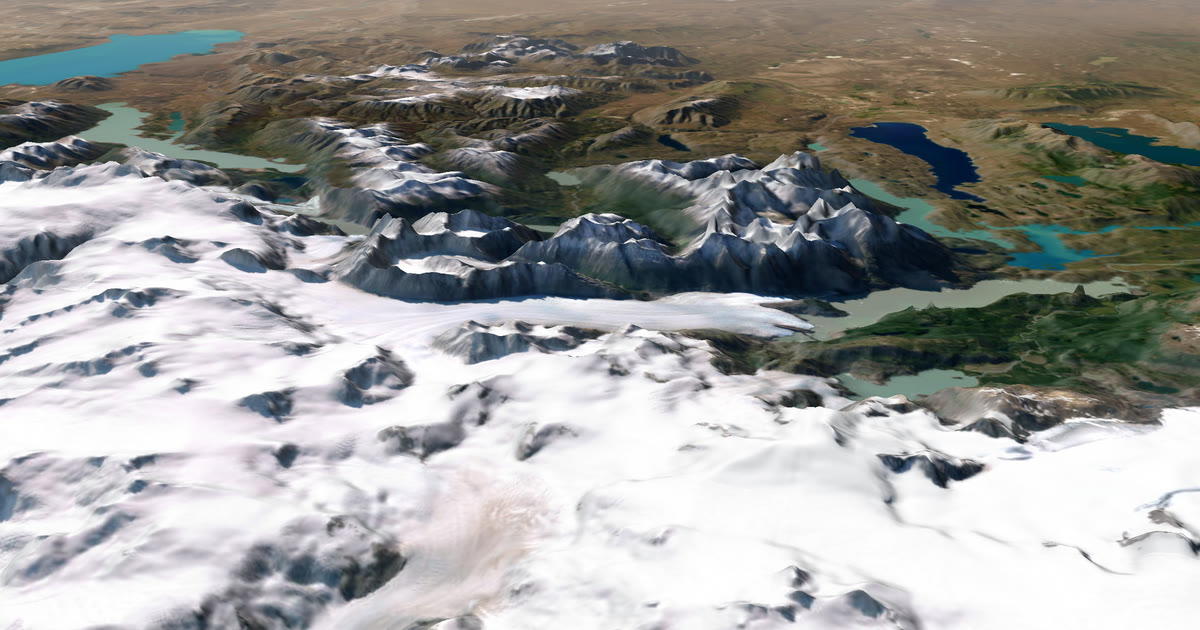
What is the difference between AdventureLive and ZOLEO location sharing?
ZOLEO is a satellite messenger with its own sharing tools. AdventureLive is a separate service for people who carry an inReach or SPOT, or wear a Garmin with LiveTrack. The most important difference is simple: AdventureLive does not support ZOLEO. If your tracker is a ZOLEO, use ZOLEO's tools. If it is an inReach or SPOT, AdventureLive reads it and adds to it.
We make AdventureLive, so weigh our view with that in mind. What we say about ZOLEO comes from its home page and support pages, linked under Sources. Some support pages blocked our automated fetch, so for those we relied on excerpts of the pages. Check ZOLEO for current details. This page is part of our guide to the best live tracking for adventures.
At a glance
| ZOLEO | AdventureLive | |
|---|---|---|
| What it needs | A ZOLEO device, a plan and a phone running the ZOLEO app | An inReach (via MapShare), a SPOT (via its shared page) or Garmin LiveTrack |
| Replaces your tracker or its plan? | It is the tracker | No. You keep the device, its plan and MapShare or the SPOT page |
| Works with ZOLEO? | Yes | No, not supported |
| Works without phone signal? | Yes, the home page says it transmits over Iridium | Yes with an inReach or SPOT. LiveTrack needs phone signal |
| Cost to you | Device listed at $199 at the time of writing (November 2026). Location Share+ is an optional monthly add-on. Plan prices not stated on the pages we read | Free, thanks to ProLend. Your tracker and its plan are your cost |
| What followers see | A web map in ZOLEO Track: check-ins, SOS activity, and a breadcrumb trail during a Location Share+ session | 3D satellite map, route, line travelled, dot, check-ins, "Seen 22 min ago" |
| Weather where you are | In the ZOLEO app, per the home page | On the follower's trip page, now and 48 hours, with safety alerts |
| Alerts to family | Check-ins and SOS to your contacts, per ZOLEO | Up to 5 home contacts get HELP emails |
| Needs an app or account to follow | Shared Track links open without the app or an account, per ZOLEO's pages | No app, no account (unless the trip is for approved people only) |
What does ZOLEO do well?
ZOLEO is a complete messenger. Its home page describes a two-way device with its own phone number, pairing with a phone or tablet and moving between cellular, Wi-Fi and satellite. It says it transmits over the Iridium network, and it lists SOS with your GPS location, check-ins through a Safety Circle, two-way texting and 24/7 Medical Assist for non-emergencies. The app shows weather forecasts for any location, powered by Xweather, which is something AdventureLive's page does differently, because ours is for the person at home.
For sharing, ZOLEO has two tools. Its support pages describe Location Share+ as an optional monthly add-on with automatic location updates. ZOLEO Track is a web application, separate from Location Share+, that shows the location activity of the ZOLEO devices on your account. Without Location Share+, the map shows check-in and SOS activity. During a Location Share+ session it adds a breadcrumb trail. You can share from it with a link, and shared links open in a browser without the ZOLEO app or an account. That is as easy for family as ours.
Its limits are on the pages too. Location Share+ costs extra. The pages we read did not give plan prices. The pages we read do not mention a 3D map.
What does AdventureLive do well?
AdventureLive turns an inReach, SPOT or LiveTrack feed into one trip page. Followers see a 3D satellite map, your planned route, the line you have actually travelled and your dot, with "Seen 22 min ago, via inReach". They see check-ins and the weather where you are now and for the next 48 hours, with safety alerts for strong wind, gales, severe cold, heat, heavy rain and thunderstorms, where you are and on the route ahead. They need no app and no account.
You name up to five home contacts. If your inReach or SPOT sends a HELP message, each gets an email with the time, the place on a map and the trip page, and a cancel email follows if it is cancelled. Planning is on the web: sign in with your email and password, confirmed by a 6-digit email code, or with Google. Legs can have a GPX route or none, and you can fly the route in 3D.
It has limits. It needs an inReach, a SPOT or Garmin LiveTrack, plus that device's own plan. It does not support ZOLEO. It has no phone app. Your dot is only as fresh as the tracker's interval, and AdventureLive reads an inReach at most every 4 minutes and a SPOT every 2½, only while a trip is live.
When should you choose ZOLEO's sharing?
- You already own a ZOLEO, or you prefer its app and pricing.
- You want one device that does messaging, check-ins and Medical Assist.
- You want weather in your own app as you go.
When should you choose AdventureLive?
- You carry an inReach or SPOT, or a Garmin with LiveTrack.
- You want your family to see the weather where you are, next to your dot.
- You want home contacts emailed on a HELP message.
- You want a 3D map with the route you planned.
To start, Plan your trip, then link a tracker and add home contacts.
Which is better for a trek like Kilimanjaro?
If you already have a ZOLEO, its Track map and check-ins cover the basics for family, and you do not need anything else. If you are choosing a device and want your family to see the weather where you are on a 3D map, an inReach or SPOT with AdventureLive does that, at the cost of that device's plan. Both routes need a paid satellite plan, so compare the plan prices at ZOLEO, Garmin and SPOT before you buy. Weather and safety alerts help your family judge a bad day on the mountain, but the forecast is a guide and not a guarantee. See Kilimanjaro live tracking for how a trek runs.
Can you use both?
Not with one ZOLEO, because AdventureLive cannot read it. You could carry a ZOLEO for messaging and an inReach or SPOT for the family page, but that is two devices and two plans, so most people pick one. If you are still choosing a device, read inReach vs SPOT vs ZOLEO for expeditions and a satellite messenger for Kilimanjaro.
What about an emergency?
No tracking page is a rescue service. ZOLEO's SOS goes to its emergency service, and an inReach or SPOT SOS goes to Garmin Response or SPOT's emergency centre. They tell the emergency contacts you set up with them. AdventureLive emails home contacts on HELP only and never claims to email SOS. The forecast is a guide, so check local forecasts and warnings.
Questions people ask
- Does AdventureLive work with ZOLEO?
- No. AdventureLive reads an inReach through MapShare, a SPOT through its shared page and Garmin LiveTrack. It does not read a ZOLEO. If you own a ZOLEO, use ZOLEO's own sharing.
- What is ZOLEO Track?
- ZOLEO's support pages describe ZOLEO Track as a web map for the devices on your account. Per those pages it is separate from Location Share+, and shared links open in a browser without the ZOLEO app or an account.
- Does ZOLEO show weather?
- ZOLEO's home page says the ZOLEO app gives weather forecasts for any location, powered by Xweather. AdventureLive's weather is on the follower's trip page, where you are, now and for 48 hours.
- Is Location Share+ free?
- The ZOLEO pages we read describe Location Share+ as an optional monthly add-on. We did not find prices on those pages. Check ZOLEO's current plans.
- What happens if I press SOS?
- On any satellite tracker the SOS goes to that maker's emergency service, not to a tracking page. AdventureLive does not email SOS. It emails up to five home contacts on a HELP message from an inReach or SPOT.
Sources
Related guides
 Guide · Satellite trackersinReach vs SPOT vs ZOLEO for expeditionsinReach, SPOT and ZOLEO compared for expeditions: networks, coverage, tracking intervals, SOS, plan prices and weights, and which work with AdventureLive.
 Comparison · ComparisonsAdventureLive vs Garmin MapShare: which should you use?Garmin MapShare and AdventureLive both show an inReach to family. Here is what each does, what it costs and when to use both, from their own pages.
 Comparison · ComparisonsAdventureLive vs the SPOT shared page: which to use?SPOT Shared View shows your tracking and messages to family. AdventureLive reads the same feed and adds weather and HELP emails. A fair comparison.
 Guide · Satellite trackersDo you need a satellite messenger for Kilimanjaro?An honest answer: Kilimanjaro guides carry radios and phones, and signal is patchy. A satellite messenger is optional but useful on summit night.
 Guide · Live trackingHow to let family track you live on an adventureLet family follow you live when there is no phone signal: use a satellite tracker and one link with a map, the weather where you are, and home contacts.