Comparison · Comparisons
AdventureLive vs Garmin MapShare: which should you use?
By AdventureLive · Updated
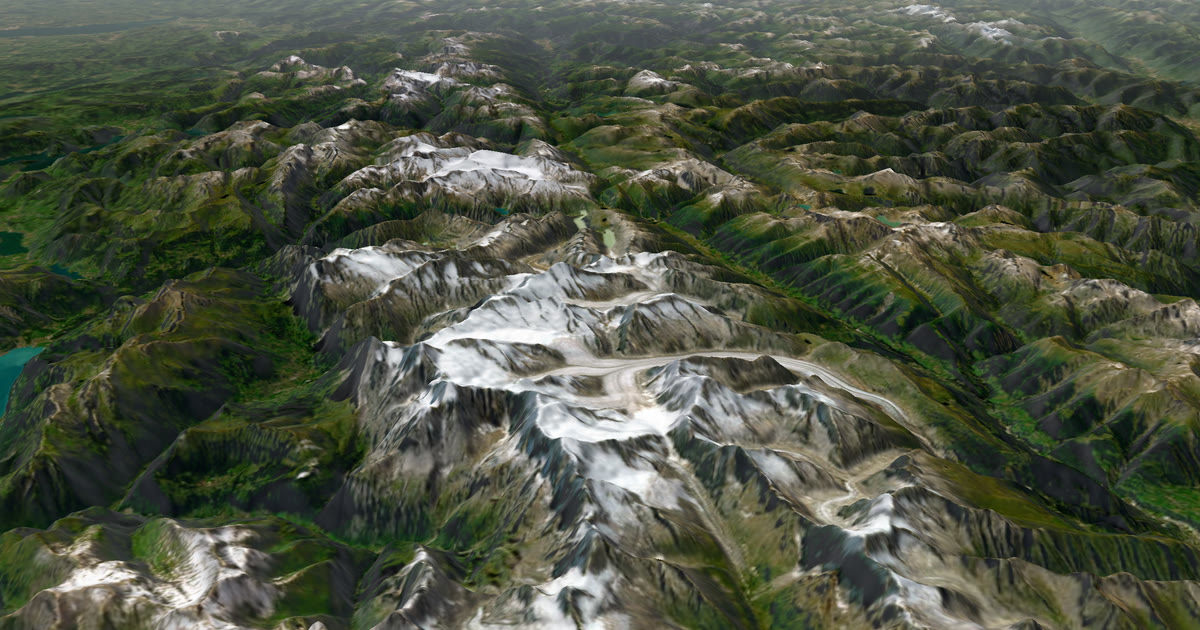
What is the difference between AdventureLive and Garmin MapShare?
MapShare is Garmin's own sharing page for an inReach. AdventureLive is a separate service that reads your MapShare page and shows the trip on its own page, with the weather where you are. They are not rivals so much as two layers: MapShare is the source, and AdventureLive is a place for family to watch it.
We make AdventureLive, so weigh our view with that in mind. Everything below about MapShare comes from Garmin's own pages and Garmin's forum, linked under Sources. This page is part of our guide to the best live tracking for adventures.
At a glance
| Garmin MapShare | AdventureLive | |
|---|---|---|
| What it needs | An inReach and an active satellite subscription | An inReach (via MapShare), a SPOT or Garmin LiveTrack |
| Works without phone signal? | Yes, the inReach uses the Iridium satellite network | Yes with an inReach or SPOT. LiveTrack needs phone signal |
| Cost to you | Forum users describe MapShare as free. The inReach plan is your cost | Free, thanks to ProLend. Your tracker plan is your cost |
| What followers see | Track points, your messages, planned routes, waypoint notes | 3D satellite map, route, line travelled, dot, check-ins, "Seen 22 min ago" |
| Can followers message you? | Yes, with your link (and password if set) | No. It shows check-ins you send, it is not a chat |
| Weather where you are | Not stated on its site | Yes, now and for 48 hours, with safety alerts |
| Alerts to family | Not stated on the pages we read | Up to 5 home contacts get HELP emails |
| Needs an app or account to follow | Not stated on the pages we read | No app, no account (unless the trip is for approved people only) |
What does MapShare do well?
MapShare is the most direct route from an inReach to a follower. Garmin says track points populate your MapShare page automatically as you move. Messages you send from the inReach appear on the page. You can add waypoints with notes, such as a lunch spot, and share a planned route made in Garmin Explore.
The standout feature is two-way contact. Garmin says followers can message you if they have your unique MapShare link, and the password if you set one. Garmin's South Africa page adds that a contact can press Locate to ask for your current position, with your permission. It also warns that these location requests count toward your inReach plan, so they may cost you.
On cost, Garmin's pages say live tracking and messaging need an active satellite subscription. Forum members describe MapShare itself as free, but they disagree on whether sending track points is billed. One says tracking points can cost money, depending on country and plan. Others say check-in and preset messages copied to MapShare are free. Treat those as opinions and read your own plan.
What does AdventureLive do well?
AdventureLive adds the things MapShare's pages do not describe. It gives followers a 3D satellite map with your planned route and the line you have actually travelled. It shows the weather where you are now and for the next 48 hours, with safety alerts for strong wind, gales, severe cold, heat, heavy rain and thunderstorms, where you are and on the route ahead.
It also adds home contacts. You name up to five people. If your inReach sends a HELP message during a trip, each gets an email with the time, the place on a map and the trip page. A cancel email follows if you cancel it on the device. Followers never see that. Rescue is run by Garmin Response, not by AdventureLive. Garmin's public MapShare feed leaves out SOS points, so set up emergency contacts with Garmin too.
Planning is on the web. A leg can have a GPX route or no route, which suits a long row or sail. You can also fly the route in 3D before you go. See plan a trip and fly the route and the weather.
It has limits. There is no phone app. Your dot is only as fresh as your inReach's tracking interval, and AdventureLive reads MapShare no more often than every 4 minutes, and only while a trip is live. Followers cannot message you from the page.
When should you choose Garmin MapShare?
Choose MapShare on its own when:
- you want followers to message you or ask for your location;
- you only need a simple map of your track and messages;
- your people already know how to use a MapShare link;
- you want to share a planned route made in Garmin Explore.
It is Garmin's own product for your Garmin device.
When should you choose AdventureLive?
Choose AdventureLive when:
- your family wants the weather where you are, with safety alerts, next to your dot;
- you want a map people can open on a phone with no app and no account;
- you want HELP emails to named people at home;
- you may carry more than one tracker, such as an inReach and a SPOT, and want one dot;
- you are on a long leg with no set route, such as an ocean row.
To start, Plan your trip and follow linking a tracker.
Can you use both?
Yes, and that is how AdventureLive works. You keep MapShare switched on in your Garmin Explore account. In AdventureLive you choose Garmin inReach, paste your MapShare address (and the password, if any) and choose Link and test it. We read your MapShare page, and messages you send to MapShare appear as check-ins on your trip page.
Your Garmin followers can keep using MapShare and can still message you there. Your family who prefer a simple link with weather can use the AdventureLive page. You can also decide who sees the trip: findable, link only, or people you approve.
Which one is better for a trek like Kilimanjaro or the Alps?
For a mountain trek with an inReach, using both gives the fullest picture. Followers get the live map and two-way contact from MapShare, and the AdventureLive page adds the weather at your position, which matters most when the weather turns. The forecast is a guide, not a guarantee, so check local forecasts and warnings before you set out. For more on choosing a device, see inReach vs SPOT vs ZOLEO and how to share your inReach MapShare with family.
Questions people ask
- Is Garmin MapShare free?
- Forum users describe MapShare itself as free, but an inReach needs an active satellite subscription for live tracking and messaging, per Garmin. Garmin's South Africa page also says location requests count toward your plan. Check your plan terms.
- Can followers message me through MapShare?
- Yes, according to Garmin. Followers can reply or start a message if they have your MapShare link and the password, if you set one.
- Does AdventureLive replace MapShare?
- No. AdventureLive reads your MapShare page, so you keep MapShare switched on. It then shows the trip on its own page with weather and home contacts.
- Do I need a password on MapShare for AdventureLive?
- No. If you set a MapShare password, you add it when you link the tracker. AdventureLive never shows the address or password to anyone.
- Who runs the rescue if I press SOS?
- The inReach sends SOS to Garmin Response, which runs the rescue and tells the emergency contacts you set up with Garmin. AdventureLive doesn't see SOS points. It emails your home contacts when you send a HELP message.
Sources
Related guides
 Comparison · ComparisonsAdventureLive vs the SPOT shared page: which to use?SPOT Shared View shows your tracking and messages to family. AdventureLive reads the same feed and adds weather and HELP emails. A fair comparison.
 How-to · Satellite trackersShare your inReach MapShare with family (and make it better)Turn on MapShare in Garmin Explore, set a password, send the link, then add the weather, alerts and home contacts by linking it to AdventureLive.
 Guide · Satellite trackersinReach vs SPOT vs ZOLEO for expeditionsinReach, SPOT and ZOLEO compared for expeditions: networks, coverage, tracking intervals, SOS, plan prices and weights, and which work with AdventureLive.
 Comparison · ComparisonsAdventureLive vs YB Tracking: race tracker or family page?YB Tracking is the standard for ocean races. AdventureLive is a free family page for your own inReach or SPOT. Use YB in the race, then both for home.