Guide · Satellite trackers
inReach vs SPOT vs ZOLEO for expeditions
By AdventureLive · Updated
On an expedition you will probably carry one of three satellite devices: a Garmin inReach, a SPOT or a ZOLEO. They look alike. They differ in network, coverage, cost and how your family follows you. This guide compares them, then shows which work with AdventureLive.
Prices below are at the time of writing (2026), from each maker's own pages. They change, so check before you buy.
What is the difference between the networks?
inReach and ZOLEO use the Iridium network. SPOT uses Globalstar.
Garmin describes Iridium as one of the world's largest commercial satellite constellations and "the only satellite network with global coverage", using low-orbit satellites. Garmin's 2017 announcement of the inReach SE+ and Explorer+ described pole-to-pole coverage for two-way messaging and SOS. ZOLEO's page also lists the Iridium network.
SPOT's coverage page lists the continental United States, Canada, Mexico, Europe and Australia, with partial coverage in South America, parts of northern and southern Africa and North-East Asia, and offshore areas near them. It does not list polar regions. It marks "fringe" areas where the signal will be weakest, and says its maps are estimates.
The practical rule: check the maker's map for your exact route. If your route is polar, an inReach is the sound choice. For more on this, read polar expedition live tracking.
All three need a view of the sky. A narrow gorge or thick tree cover can delay or block a position.
How do inReach, SPOT and ZOLEO compare?
| Garmin inReach | SPOT | ZOLEO | |
|---|---|---|---|
| Network | Iridium | Globalstar | Iridium |
| Coverage | Garmin describes it as pole to pole | Regions on a map, no polar regions listed | Iridium |
| Messaging | Two-way text, with allowances by plan; photo and voice on some devices | Gen4 plans include Check In, HELP and custom messages; SPOT X plans list custom message allowances | Messaging through a phone app, with satellite messages counted on Prepare |
| SOS | Garmin Response | GEOS, SPOT's emergency response centre | Global two-way SOS (see ZOLEO's page for its provider) |
| Tracking intervals | Set by you; Mini 2 default 10 minutes | Gen4: 5, 10, 30, 60 minutes, 2.5 with an add-on | Location Share+ from every 6 minutes to 4 hours |
| Share link for family | MapShare | Shared page | Share Map link |
| Weight | Mini 2: 3.5 oz; Mini 3 Plus: 4.4 oz | Gen4: 5 oz (142 g) | 150 g (5.3 oz) |
| Device price (US) | Mini 2 $399.99 (2022 launch); Mini 3 Plus $499.99 (launch) | Gen4 price varies by sale: check SPOT's page | Not on the page we read |
A note on that table. SPOT's plan page lists custom message allowances for the SPOT X (20 on Basic, 100 on Advanced, unlimited on Unlimited) and unlimited HELP, Check In and custom messages on Gen4. Garmin's lineup includes the Mini 3 Plus, the Messenger models, handhelds and the fenix 8 Pro watch.
What do tracking intervals mean for my family?
How often a new dot appears. Garmin's Mini 2 default is a 10-minute interval, with up to 14 days of battery in that mode and up to 30 days in 30-minute mode, with a full view of the sky. The Mini 3 Plus is listed at up to 330 hours in 10-minute mode. SPOT's Gen4 plans list 5, 10, 30 and 60 minutes, with 2.5 minutes as the Extreme add-on.
Shorter intervals give a smoother line and drain the battery faster. On a trek, 10 minutes is a sound default. In a rowing boat or on a glacier, longer is fine. AdventureLive reads an inReach no more often than every 4 minutes and a SPOT no more often than every 2.5 minutes, only while a trip is live, and the dot is only as fresh as the tracker's own interval.
What does SOS do?
It reaches a staffed rescue centre that coordinates help.
- inReach: SOS goes to Garmin Response, a 24/7 staffed coordination centre. Garmin's plan overview says all plans include emergency SOS messaging.
- SPOT: SOS goes to GEOS IERCC, which notifies the appropriate emergency responders, according to the SPOT X user guide. Your SPOT account also holds primary and secondary emergency contacts. SPOT X plans list unlimited SOS.
- ZOLEO: ZOLEO's page lists global two-way SOS and medical assist.
AdventureLive does not run rescues. Garmin Response or SPOT's GEOS centre does. What AdventureLive adds is an email, when you send HELP, to up to five home contacts, with the time, the place on a map and the trip page, plus a cancel email if it is cancelled. It does this for HELP, not for SOS. Followers never see it. See Home contacts.
What do the plans cost?
At the time of writing (2026):
| Device | Plan | Price | Notes |
|---|---|---|---|
| SPOT Gen4 | Basic, 12-month contract | $11.95 a month | $29.95 activation, tracking 5 to 60 minutes |
| SPOT Gen4 | Basic, annual upfront | $143.40 a year | Extreme 2.5-minute tracking add-on: $59.40 a year |
| SPOT Gen4 | Flex Basic | $14.95 a month | One-month minimum, plus a $34.95 yearly Flex charge |
| SPOT X | Advanced, contract | $19.95 a month | 100 custom messages |
| SPOT X | Unlimited, contract | $29.95 a month | Unlimited custom messages |
| ZOLEO | Prepare | $19.99 a month | 50 satellite messages, $19.99 activation fee |
| ZOLEO | Protect | $34.99 a month | Unlimited messages under a fair use policy |
| ZOLEO | Location Share+ add-on | $6 a month | Automatic location sharing |
| Garmin inReach | Enabled, Essential, Standard, Premium | See Garmin's plans page | Tiers by messages and tracking |
For Garmin, we read the tier structure: Premium has unlimited texts, Standard has 150 texts with unlimited tracking, Essential has 50 texts with pay-as-you-go tracking, and Enabled is the low monthly plan with SOS included. We could not read Garmin's current per-month prices from its pages, so we do not print them. Garmin's Mini 2 announcement said plans start from as little as $11.95 a month. Check Garmin's current plans page before you buy.
Garmin also says you can suspend a plan at no cost for up to 12 months, which helps if you only travel a few months a year.
Which one works with AdventureLive?
inReach and SPOT, plus Garmin LiveTrack. ZOLEO is not supported.
| Device | Works with AdventureLive | How |
|---|---|---|
| Garmin inReach | Yes | Paste your MapShare address (and password if set) in My trackers |
| SPOT | Yes | Paste your shared page link or feed ID (and feed password if set) |
| Garmin LiveTrack | Yes | A personal address that starts with "a", added as a LiveTrack contact in Garmin Connect with Auto start. Needs the phone to have signal |
| ZOLEO | No | Not supported |
If you use a ZOLEO, say so plainly to your family: they cannot see you on AdventureLive. A ZOLEO user can share the location link that ZOLEO's own service gives, and can add a Garmin watch's LiveTrack or a supported tracker to an AdventureLive trip if they carry one.
You can link more than one tracker to a trip. The freshest position wins, so there is always one dot. A common pairing is an inReach in the pack and a Garmin watch's LiveTrack for the days with signal.
Help: Link a tracker and Garmin LiveTrack.
What does AdventureLive add to a tracker?
The tracker sends your position. AdventureLive turns it into a page your family will open.
- A 3D satellite map with the planned route, the line travelled and the dot.
- The weather where you are, now and for the next 48 hours.
- Safety alerts for strong wind and gales, freezing or severe cold, heat, heavy rain and thunderstorms, where you are and on the route ahead.
- Check-ins from the device, "Seen 22 min ago, via inReach", and progress by day and leg.
- No app and no account for followers, unless you choose approved people only.
- Home contacts who get an email on HELP.
It is free, thanks to ProLend. It is part of the livedot family, beside Windline (cycling) and RunFast (running). The forecast is a guide; check local forecasts and warnings.
Which should I buy for my trip?
- High mountains, jungle, remote oceans, any polar trip: an inReach. Check that your plan is active.
- A simple start on a route inside SPOT's coverage: SPOT Gen4 on a basic plan, after you check its map.
- You want two-way messaging through a phone app: inReach or ZOLEO. ZOLEO does not link to AdventureLive.
- A Kilimanjaro climb: read do you need a satellite messenger for Kilimanjaro?
The guides in this series
- How to share your inReach MapShare with family (and make it better)
- A SPOT shared page alternative your family will actually use
- Garmin LiveTrack with no phone signal: what really works
- Do you need a satellite messenger for Kilimanjaro?
Back to How to let family track you live on an adventure. Plan your trip.
All guides in this topic
 Guide · Satellite trackersA SPOT shared page alternative your family will actually useSPOT's shared page shows where you are. Here is what SpotWalla and AdventureLive add: a 3D map, the weather where you are, alerts and HELP emails to home.
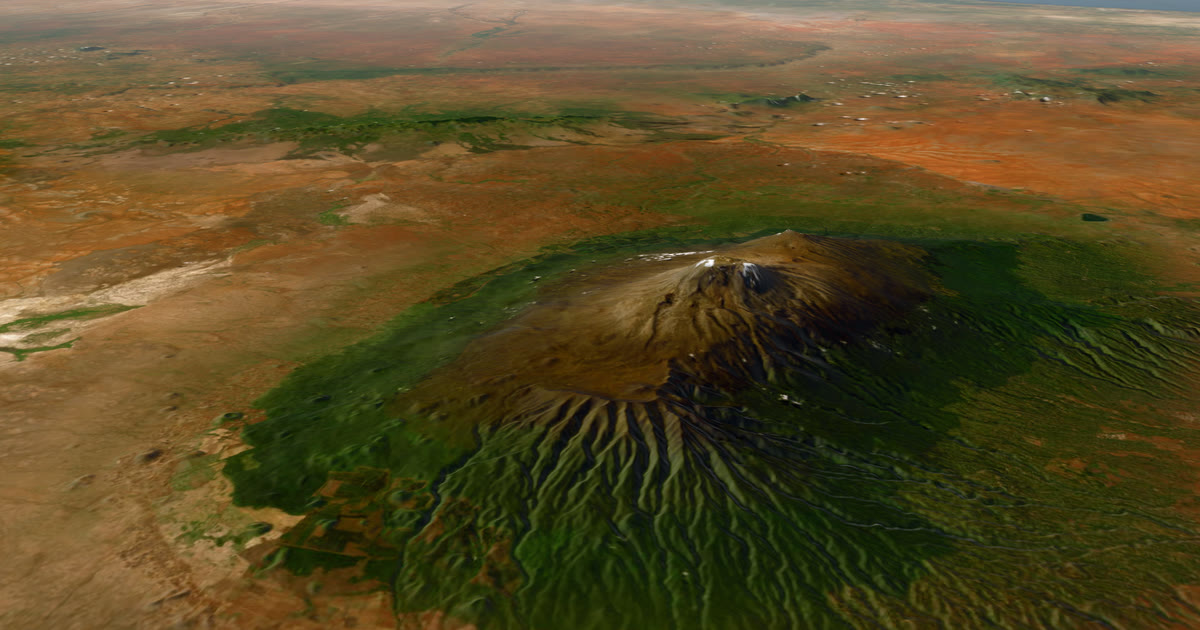 Guide · Satellite trackersDo you need a satellite messenger for Kilimanjaro?An honest answer: Kilimanjaro guides carry radios and phones, and signal is patchy. A satellite messenger is optional but useful on summit night.
 Guide · Satellite trackersGarmin LiveTrack with no phone signal: what really worksGarmin LiveTrack from a watch needs your phone's data, except on LTE watches. Off-grid, use an inReach or SPOT and link both: the freshest position wins.
 How-to · Satellite trackersShare your inReach MapShare with family (and make it better)Turn on MapShare in Garmin Explore, set a password, send the link, then add the weather, alerts and home contacts by linking it to AdventureLive.
Questions people ask
- Which is better for an expedition, inReach or SPOT?
- For most expeditions the inReach, because it runs on Iridium with global coverage and two-way messaging. SPOT's plans are simple, but its coverage is shown as regions, so check its map for your route. For polar trips choose an inReach.
- What is the difference between Iridium and Globalstar?
- Iridium is a constellation of low-orbit satellites that Garmin describes as the only network with global coverage. Globalstar's coverage, used by SPOT, is shown on a map of regions, and SPOT says maps are estimates.
- Does AdventureLive work with ZOLEO?
- No. ZOLEO is not supported. A ZOLEO user can send family the location link that ZOLEO's own service creates, or add a Garmin watch's LiveTrack or a second tracker that AdventureLive does support.
- What happens when I press SOS?
- On an inReach, Garmin Response coordinates the rescue. On a SPOT, its GEOS centre does. AdventureLive does not run rescues. An SOS goes to those centres, which tell the emergency contacts you set with Garmin or SPOT. AdventureLive emails up to five home contacts when you send HELP.
- How much does it cost to run one for a year?
- Plus the device, a year on a SPOT Gen4 basic plan is $143.40 plus a $29.95 activation fee (SPOT's US page, 2026). ZOLEO's first-year Prepare plan is $259.87 including activation. Garmin's page lists inReach plan prices, which we could not read, so check it.
- Can I link more than one tracker to one trip?
- Yes. In AdventureLive you can link an inReach, a SPOT and Garmin LiveTrack to the same trip. The freshest position wins, and there is always one dot.
Sources
- Garmin: What's different about inReach devices? (Iridium, LiveTrack, plan needed)
- Garmin: inReach SE+ and Explorer+ announcement (pole-to-pole Iridium)
- Garmin: inReach Mini 2 announcement (3.5 oz, $399.99, 10 and 30-minute tracking, IERCC)
- Garmin: inReach Mini 3 Plus announcement ($499.99, Garmin Response, 330 hours in 10-minute tracking)
- Garmin: Which inReach device is right for you? (Mini 3 Plus 4.4 oz)
- Garmin: Overview of inReach subscription plans (Enabled, Essential, Standard, Premium; Garmin Response on all plans)
- SPOT service plans (Gen4 and SPOT X prices, tracking intervals)
- SPOT coverage map page
- Globalstar: SPOT Gen4 product page (5 oz with lithium batteries, tracking, SOS)
- SPOT X user guide (SOS goes to GEOS IERCC)
- ZOLEO: Satellite communicator features (Iridium, 150 g, Share Map, Location Share+)
- ZOLEO: What a satellite messenger really costs (Prepare, Protect, activation fee)
- fenix 8 Series owner's manual: LTE and satellite connected features
Related guides
How-to · Satellite trackersShare your inReach MapShare with family (and make it better)Turn on MapShare in Garmin Explore, set a password, send the link, then add the weather, alerts and home contacts by linking it to AdventureLive.Guide · Satellite trackersA SPOT shared page alternative your family will actually useSPOT's shared page shows where you are. Here is what SpotWalla and AdventureLive add: a 3D map, the weather where you are, alerts and HELP emails to home.Guide · Satellite trackersGarmin LiveTrack with no phone signal: what really worksGarmin LiveTrack from a watch needs your phone's data, except on LTE watches. Off-grid, use an inReach or SPOT and link both: the freshest position wins.Guide · Satellite trackersDo you need a satellite messenger for Kilimanjaro?An honest answer: Kilimanjaro guides carry radios and phones, and signal is patchy. A satellite messenger is optional but useful on summit night. Guide · Live trackingHow to let family track you live on an adventureLet family follow you live when there is no phone signal: use a satellite tracker and one link with a map, the weather where you are, and home contacts.