Comparison · Comparisons
AdventureLive vs Garmin LiveTrack: which should you use?
By AdventureLive · Updated

What is the difference between AdventureLive and Garmin LiveTrack?
LiveTrack is Garmin's feature for sharing a live page from a Garmin device. AdventureLive is a separate service that can read a LiveTrack feed and show the trip on its own page. It sits on top of LiveTrack. It does not replace it, your Garmin, or Garmin Connect.
We make AdventureLive, so weigh our view with that in mind. What we say about LiveTrack comes from Garmin's own manuals, linked under Sources. Those manuals differ by device, so treat the details as a guide and check yours. This page is part of our guide to the best live tracking for adventures.
At a glance
| Garmin LiveTrack | AdventureLive | |
|---|---|---|
| What it needs | A compatible Garmin connected by Bluetooth to a phone running Garmin Connect | A Garmin with LiveTrack, an inReach (via MapShare) or a SPOT (via its shared page) |
| Replaces your tracker or its plan? | Not applicable | No. You keep the device, its plan and Garmin Connect |
| Works without phone signal? | The manuals we read tie it to your phone, so signal is needed | Yes with an inReach or SPOT. LiveTrack needs phone signal |
| Cost to you | Not stated in the manuals we read | Free, thanks to ProLend. Your device and any plan are your cost |
| What followers see | A web page with your live location and data, per the Edge manual | 3D satellite map, route, line travelled, dot, check-ins, "Seen 22 min ago" |
| Duration | One Edge manual says 24 hours once enabled | While the trip is live, across legs from an afternoon to months |
| Weather where you are | Not stated in the manuals we read | Yes, now and for 48 hours, with safety alerts |
| Alerts to family | Message triggers and options, per the Edge manual | Up to 5 home contacts get HELP emails (from an inReach or SPOT) |
| Needs an app or account to follow | Not stated in the manuals we read | No app, no account (unless the trip is for approved people only) |
What does Garmin LiveTrack do well?
LiveTrack is the easiest option if you already wear a Garmin. You set it up in Garmin Connect, choose recipients from your contacts and share. The Edge manual says viewers can follow your current location and see your live data on a web page, in real time. The Drive manual adds that viewers can see your current location and the path of your recent travels. It needs no extra hardware or subscription that the manuals mention.
There is nothing to plan or link. For a run or ride near coverage, it just works, and your Garmin does the recording. The Edge manual also tells you to think about whom you share with, which is good advice for any live link.
Its limits come from the same manuals. The Edge 1040 manual says the device must have GPS enabled and be connected to Garmin Connect over Bluetooth. That makes the phone part of the chain. The other Edge manual says the Edge pairs with a compatible Android phone and that live event sharing is enabled for 24 hours. The pages we read did not say what recipients receive.
What does AdventureLive do well?
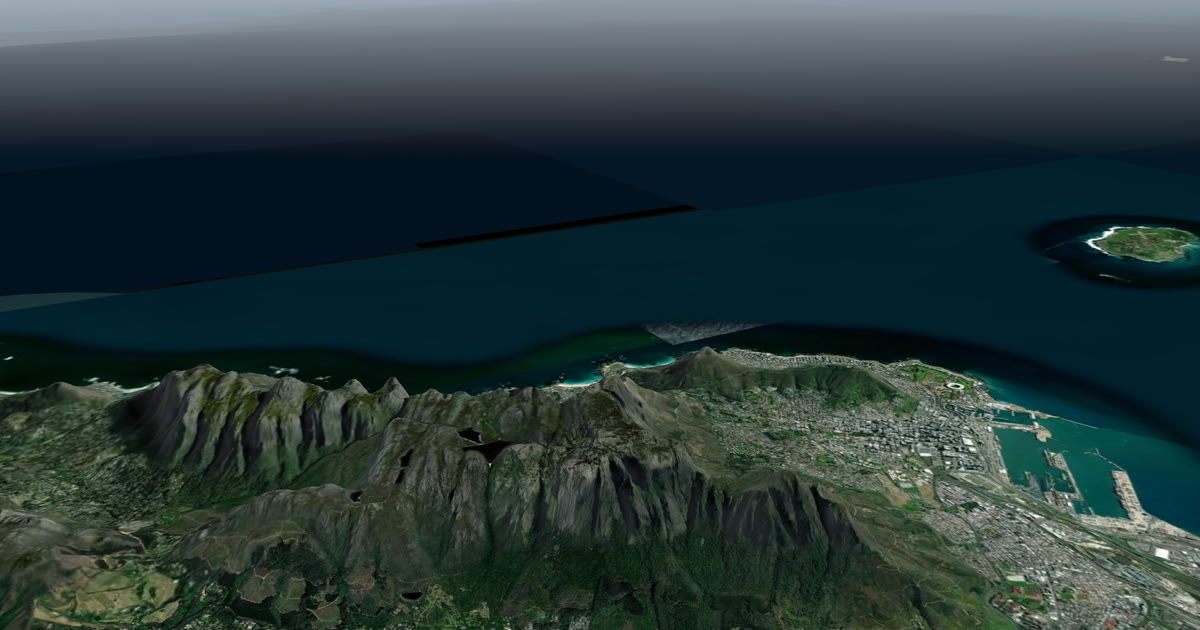
AdventureLive gives followers one page for the whole trip. They get a 3D satellite map with your planned route, the line travelled and your dot. They see the weather where you are now and for 48 hours, with safety alerts for strong wind, gales, severe cold, heat, heavy rain and thunderstorms, where you are and on the route ahead. They open it with no app and no account.
You can link several trackers: a Garmin with LiveTrack and an inReach or SPOT. The freshest position wins, so there is one dot. You name up to five home contacts. If an inReach or SPOT sends a HELP message, each gets an email with the time, the place on a map and the trip page. HELP emails come from an inReach or SPOT, not from LiveTrack.
It has limits. It needs the device behind it. LiveTrack through AdventureLive still needs your phone to have signal. There is no phone app. Your dot is only as fresh as your device's own interval.
How do you use LiveTrack with AdventureLive?
Plan the trip on the web: Plan your trip. Sign in with your email and password, confirmed by a 6-digit email code, or with Google. In My trackers, choose Garmin LiveTrack. AdventureLive gives you a personal address that starts with the letter "a". In Garmin Connect, add that address as a LiveTrack contact and switch on Auto start. The steps are in Garmin LiveTrack in AdventureLive and link a tracker. From an hour before a leg starts, the first position puts the trip live.
What should you check before you rely on LiveTrack?
Read your own device's manual, because the three we read differ. Confirm which phones it pairs with, how long sharing stays on and what your contacts receive. Test it on a short outing before the trip, with your phone in the same bag and the same settings you will use. Then decide whether the gaps in your route, where the phone will have no signal, are acceptable to the people waiting at home. If they are not, add a satellite tracker.
When should you choose Garmin LiveTrack alone?
- You wear a Garmin and mostly run or ride near coverage.
- Your contacts are happy with a simple live page.
- You do not need the weather or a planned route on a map.
When should you choose AdventureLive?
- You want weather and safety alerts next to the dot.
- You carry an inReach or SPOT as well, and want one dot.
- You want named people to get an email on HELP.
- You are planning a long trip, with legs and a route to fly in 3D.
Which is better for a long day in the Dolomites?
If your phone has signal for most of the day, LiveTrack is simple and may be all you need. If you will cross passes or valleys with no signal, a watch or bike computer paired to a phone will drop out, and followers will see a gap. An inReach or SPOT keeps reporting over satellite, and AdventureLive can show it with the weather where you are, which matters when a storm builds over a ridge. You can link both and the freshest position wins. Compare the other Garmin option in AdventureLive vs Garmin MapShare, and see inReach vs SPOT vs ZOLEO if you are choosing a device.
Can you use both?
Yes. That is the point. Keep LiveTrack running and add AdventureLive on top. For a day with no phone signal on a mountain, LiveTrack goes quiet. The AdventureLive page then keeps showing the last position, and an inReach or SPOT keeps it moving. Read Garmin LiveTrack without phone signal for what to expect. Rescue is the job of Garmin Response or SPOT's emergency centre, not LiveTrack or AdventureLive. The forecast is a guide, so check local forecasts and warnings.
Questions people ask
- Does Garmin LiveTrack work without phone signal?
- The Garmin manuals we read say the device must be connected to the Garmin Connect app over Bluetooth, so it depends on your phone. Where the phone has no signal, followers do not get live updates. An inReach or SPOT reports over satellite.
- Does AdventureLive replace LiveTrack?
- No. AdventureLive reads your LiveTrack feed. You still set LiveTrack up in Garmin Connect, keep it switched on and keep your phone connected. AdventureLive then shows the trip on its own page.
- How do I connect LiveTrack to AdventureLive?
- AdventureLive gives you a personal address that starts with a letter 'a'. You add it as a LiveTrack contact in Garmin Connect with Auto start. See the help article on Garmin LiveTrack.
- How long does LiveTrack stay on?
- One Garmin Edge manual we read says live event sharing is enabled for 24 hours. Other pages did not state a limit. Check your own device's manual.
- Who runs the rescue if I press SOS?
- Only an inReach or SPOT sends SOS, and it goes to Garmin Response or SPOT's emergency centre. A watch or bike computer with LiveTrack alone is not a rescue device. AdventureLive emails home contacts when an inReach or SPOT sends HELP.
Sources
Related guides
 Guide · Satellite trackersGarmin LiveTrack with no phone signal: what really worksGarmin LiveTrack from a watch needs your phone's data, except on LTE watches. Off-grid, use an inReach or SPOT and link both: the freshest position wins.
 Comparison · ComparisonsAdventureLive vs Garmin MapShare: which should you use?Garmin MapShare and AdventureLive both show an inReach to family. Here is what each does, what it costs and when to use both, from their own pages.
 Comparison · ComparisonsAdventureLive vs Strava Beacon: which should you use?Strava Beacon texts a live link from your phone. AdventureLive reads an inReach, SPOT or LiveTrack. What each needs and does, and when to use which.
 Guide · Satellite trackersinReach vs SPOT vs ZOLEO for expeditionsinReach, SPOT and ZOLEO compared for expeditions: networks, coverage, tracking intervals, SOS, plan prices and weights, and which work with AdventureLive.
 Guide · Live trackingHow to let family track you live on an adventureLet family follow you live when there is no phone signal: use a satellite tracker and one link with a map, the weather where you are, and home contacts.