Guide · Live tracking
How to let family track your Channel swim live
By AdventureLive · Updated
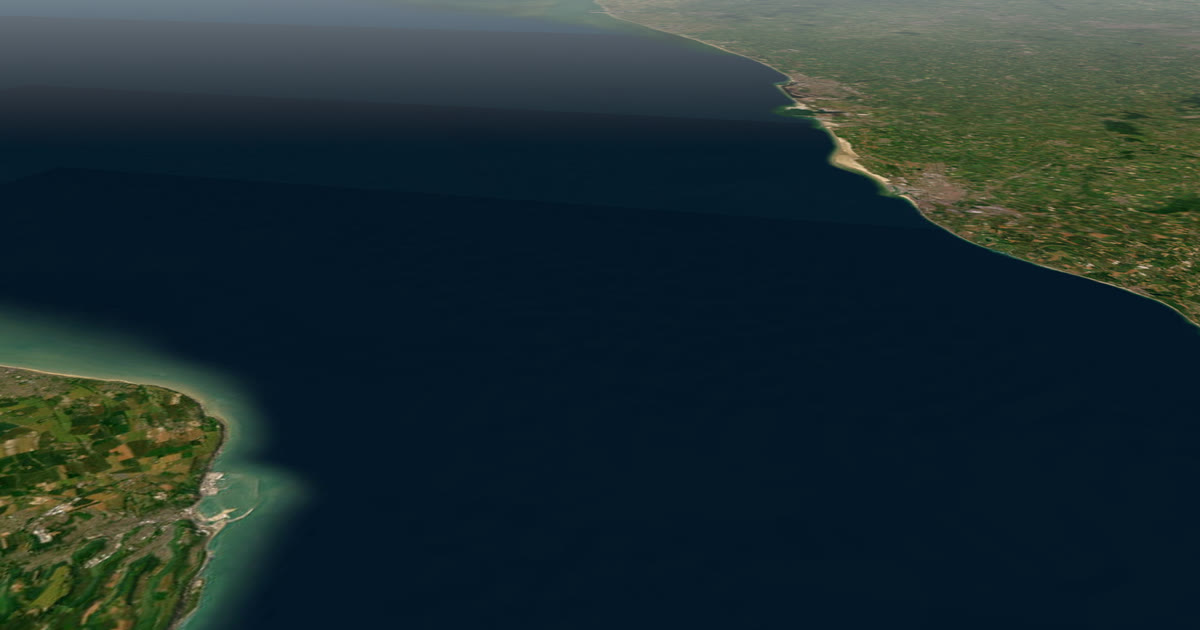
How do family follow a Channel swim live?
Through the boat. A Channel swimmer carries nothing that can send a position, so the tracker goes on the pilot boat or a support kayak. Put an inReach or SPOT there, with the pilot's agreement, link it to AdventureLive and share the link. Family follow the boat, which stays beside the swimmer. This guide explains how that works, what it shows and what it does not. For other trips, see the live tracking hub.
Who governs Channel swims, and what do they require?
Two organisations oversee swims across the English Channel: the Channel Swimming Association (CSA) and the Channel Swimming and Piloting Federation (CS&PF). Your choice of pilot generally decides which one you register with. A swimmer may not wear a wetsuit or buoyancy aid, and may not touch the boat. Food and drink are passed from the boat. An official observer is on board. Escort boats are few, and pilots are often booked two or three years ahead, according to one swimming guide.
Rules differ between the bodies and change, so read the current ones from the federation you swim with. Nothing here replaces them.
Why does the swimmer not carry the tracker?
Because the sea and the rules make it impractical. A swimmer is swimming, feeding and sighting, and the rules limit what a swimmer may wear. The boat is the safe place for a tracker. It has power, a clear sky and a crew.
The boat's position is a good proxy for the swimmer. The boat is close and moves at the swimmer's speed. Be honest about the limits. It is the boat, not the swimmer. The boat can sit some distance from the swimmer, and it may move to keep the swimmer in sight. A dot on a page is not a precise swim line.
Do pilots already share positions?
Some do. A 2013 blog from the pilot of the boat Sea Leopard pointed followers to two public ship-tracking sites (ShipAIS and MarineTraffic), with a warning that the boat can drop off the map near the French coast, and an A2A swim operator's page also points to a live tracking link. We could not confirm that any federation runs its own tracking page today, so ask your federation and pilot what exists now.
If your pilot already shares a link, use it. AdventureLive is for when you want one page for your family with the weather where the boat is, and with home contacts who are emailed if something goes wrong.
What about the Marathon Swimmers Federation's tracking?
It is built for swims, and it is the specialist option. The Marathon Swimmers Federation (MSF) has a web app called SwimTrack, described in a 2015 post as made for following marathon swims, with better mapping and track analytics than a typical GPS tracker. We could not open MSF's current rules or tracking pages, so we do not say which devices it supports, what it costs or what a documented swim must include. Check MSF's site for all three.
Where AdventureLive fits: it is free, thanks to ProLend. It shows the weather where the boat is, now and for 48 hours, with alerts for strong wind and gales, heavy rain and thunderstorms. And it emails up to five home contacts if the tracker sends a HELP message. It is not a swim record or a ratification tool. Using both is fine: MSF for the swim's documentation, AdventureLive for the family's page. Ask the CSA or CS&PF and your pilot whether they run tracking for your swim.
How do I set it up in AdventureLive?
- Ask the pilot. Agree that a tracker can ride on the boat or a support kayak, where it goes, and who switches it on. The pilot is in charge.
- Plan the trip. In the web app, sign in with Google or an email link. Name the trip and add one leg with no route. A leg can last an afternoon, which suits a swim. See plan a trip.
- Link the tracker. In My trackers, paste the inReach MapShare address and password if there is one, then press Link and test it. For SPOT, use its shared page. See link a tracker. If the tracker is a Garmin LiveTrack, it needs phone signal, which you may lose mid-Channel, so a satellite tracker suits better.
- Name your home contacts. Up to five. See home contacts.
- Share the link. Followers can also use your livedot.me link.
Going live needs nothing. From an hour before the leg starts, the tracker's first position puts the trip live. You can also use Start now and End trip by hand from any phone's browser. Because the swim window opens and closes with the tide and the weather, Start now and Pause are useful on the day. See going live.
What will family see?
The 3D map, the dot, the line the boat has travelled, and "Seen 3 min ago, via inReach". If you add a route as a GPX, such as a planned line from Dover to the French coast, they see it too. The page shows check-ins sent from the tracker, such as an SPOT OK message or an inReach message to MapShare.
They also see the weather where the boat is, now and for 48 hours: wind, temperature, rain and storms. Safety alerts flag strong wind and gales, heavy rain and thunderstorms. The page refreshes every minute. No app or account is needed.
AdventureLive does not show tides, currents, swell or waves. Those matter hugely in the Channel. Your pilot and the official marine forecast decide whether the swim goes ahead.
How often does the dot move?
As often as the tracker sends. AdventureLive reads an inReach no more than every 4 minutes and a SPOT no more than every 2.5 minutes. For a swim of many hours that is enough to show progress. The page states how long ago the boat was seen, so a gap does not look like a fault.
What about SOS?
A tracker on a pilot boat can send HELP or SOS. Rescue is run by Garmin Response (inReach) or SPOT's GEOS centre, and in the Channel the pilot and the coastguard would be involved. AdventureLive does not run rescues. An SOS goes to your tracker's emergency centre, which contacts the emergency contacts you set with Garmin or SPOT, so set those up. AdventureLive emails your home contacts with the time, the place and the trip page when you send HELP. Followers never see that email.
Agree with the pilot who presses the button, and under what conditions. A tracker is not a replacement for the boat's radio and safety kit.
What should I tell my family?
- They are following the boat. It is near the swimmer, not on top of them.
- A swim runs for many hours. The dot is steady and slow.
- A pause in the line is normal in poor satellite view.
- Check the pilot's and the federation's guidance for their own live channels.
If you are planning a different kind of crossing, see ocean rowing and sailing passages. Ready? Plan your trip.
Questions people ask
- Does the swimmer wear a tracker?
- Usually not. The tracker goes on the pilot boat or a support kayak, which stay beside the swimmer. Followers see the boat's position, which is close to the swimmer's but not exact.
- Can I add my own tracker to the pilot boat?
- Ask the pilot first. The pilot is in charge of the boat and the swim, and many pilots already share positions. Agree where the tracker goes and keep it clear of the swim's rules and safety routine.
- Do the Channel swim bodies track swims themselves?
- Some do. One A2A swim operator's page points to a live tracking link, and a pilot's 2013 blog pointed followers to public boat-tracking sites. We could not confirm what either federation offers now, so ask your federation and pilot.
- How often does the dot update?
- As often as the tracker sends. AdventureLive reads an inReach no more than every 4 minutes and a SPOT no more than every 2.5 minutes. The page shows how long ago the boat was seen.
- What happens if the tracker sends SOS?
- Rescue is run by Garmin Response (inReach) or SPOT's GEOS centre, and in the Channel the pilot and the coastguard would be involved, not AdventureLive. An SOS goes to that centre, which contacts the emergency contacts you set with Garmin or SPOT, so set those up. AdventureLive emails the home contacts you named when you send a HELP message.
- Do I need a route?
- No. Use one leg with no route. Followers see the dot and the line actually travelled, which for a Channel swim is the path the boat takes with the tide.
Sources
- SwimTrack is better than a GPS tracker (Daily News of Open Water Swimming, 2015)
- So you want to swim the English Channel: CSA and CS&PF, rules, pilots (Swim Smooth)
- Tracking swim: live updates links (Sea Leopard pilot blog, 2013)
- Information for your A2A attempt (Enduroman: points to a live tracking link)
Related guides
 Guide · Live trackingHow to let family track you live while rowing an oceanRowing an ocean? Carry an inReach or SPOT and share one AdventureLive link so family see your dot and the weather where you are, even weeks from land.
 Guide · Live trackingHow to let family track your sailing passage liveSailing offshore or crossing with a rally like the ARC? Carry a satellite tracker and share one AdventureLive link with a map and your weather.
 Guide · Live trackingHow to let family track you live on an adventureLet family follow you live when there is no phone signal: use a satellite tracker and one link with a map, the weather where you are, and home contacts.
 Guide · Satellite trackersinReach vs SPOT vs ZOLEO for expeditionsinReach, SPOT and ZOLEO compared for expeditions: networks, coverage, tracking intervals, SOS, plan prices and weights, and which work with AdventureLive.
 How-to · Satellite trackersShare your inReach MapShare with family (and make it better)Turn on MapShare in Garmin Explore, set a password, send the link, then add the weather, alerts and home contacts by linking it to AdventureLive.